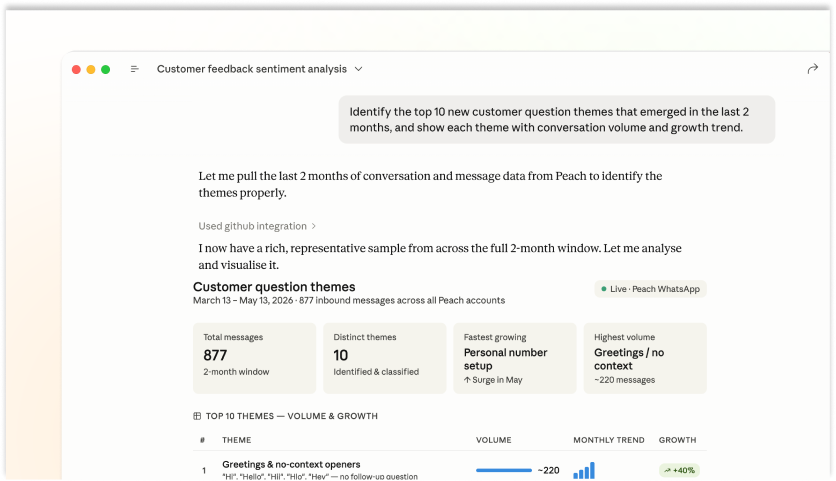
Insights
Monitor customer feedback
Understand what your customers are saying without going through layers of reporting.
MCP Server
Support your customers, book orders or announce sales — all on your official WhatsApp Business account, directly from your favourite AI tool.
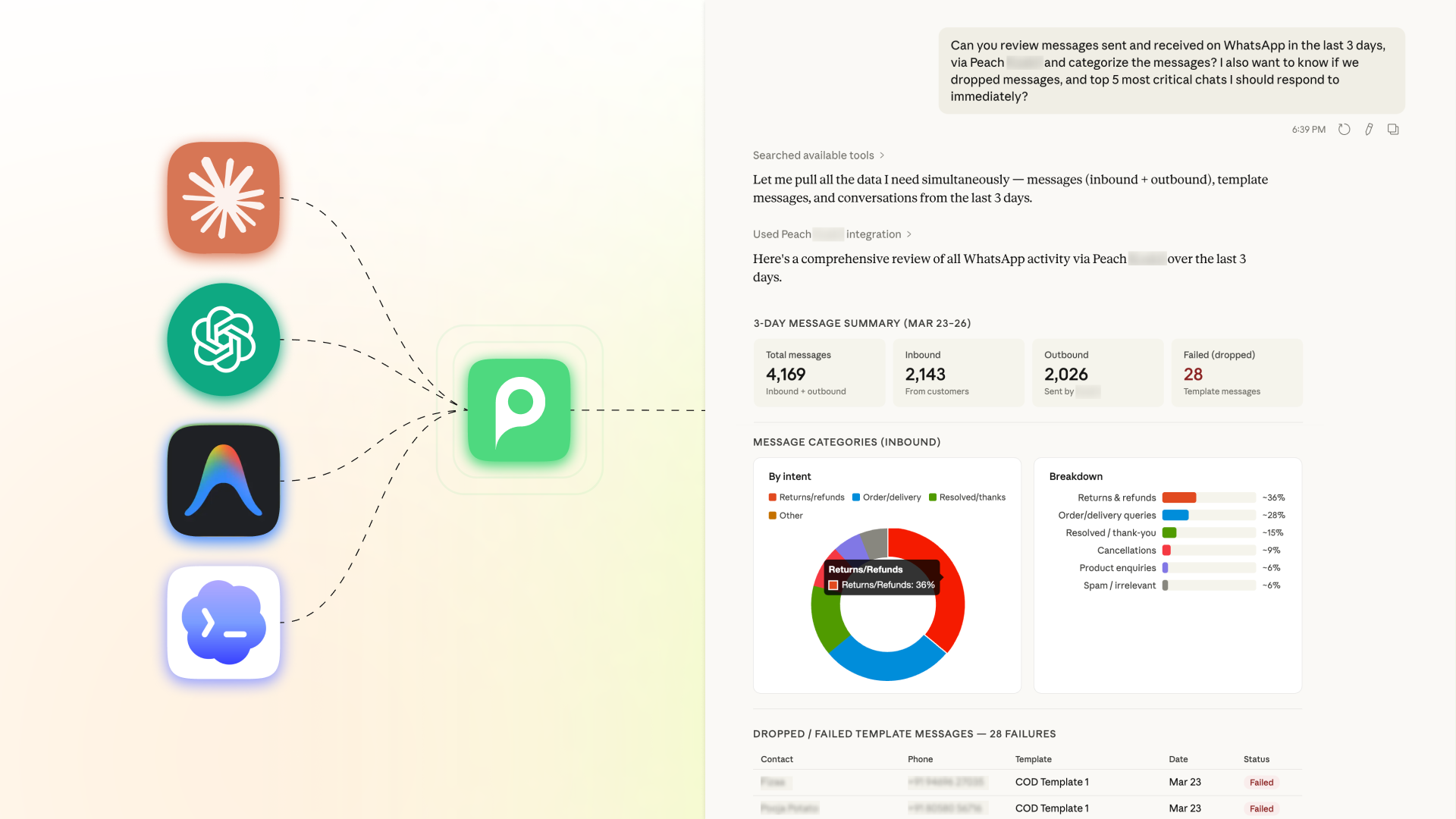
Insights
Understand what your customers are saying without going through layers of reporting.
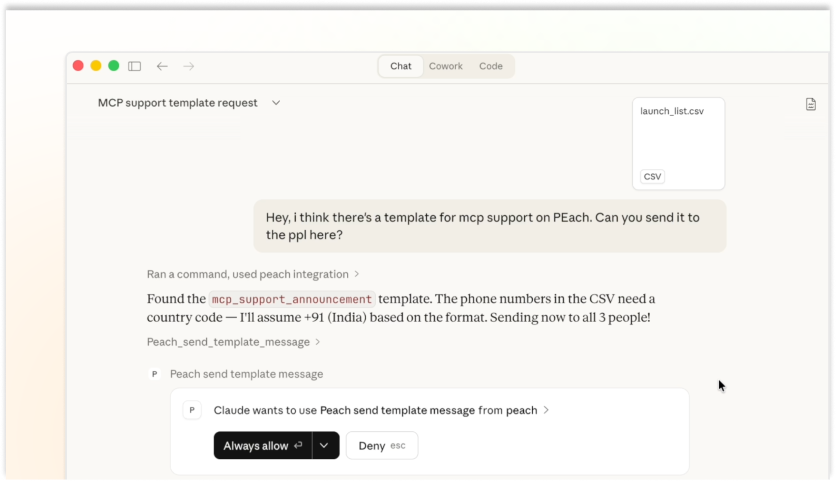
Marketing
Create and get templates approved by Meta, and launch beautiful broadcasts without leaving your AI chat.
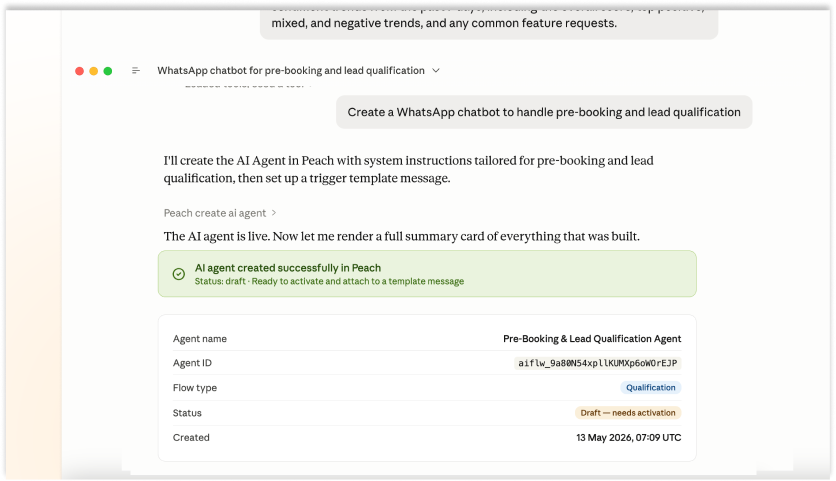
AI Inception
Monitor chats, then build or upgrade chatbots to delight your customers.
Full Power
Everything the WhatsApp Business API can do, now accessible via your favorite AI tool.
See it in action
Works with any MCP-compatible AI
No custom adapters. No custom SDKs. If it speaks MCP, it works with Peach.
 Claude (Anthropic)
 ChatGPT (OpenAI)
 Gemini (Google)
 Any MCP client
Market comparison
Most open-source tools use unofficial APIs that violate Meta's Terms of Service. Peach is built on the official WhatsApp Business API.
| Capability | Open-Source MCP | Peach MCP |
|---|---|---|
| API access | Unofficial API — violates Meta ToS | Official WhatsApp Business API |
| Number ban risk | Permanent ban common | Zero — official Meta Tech Partner |
| Template workflow | None | Create + submit for Meta approval via prompt |
| Broadcasts | No broadcast support | Launch broadcast campaigns via AI prompt |
| Analytics | None | Real-time delivery & engagement in your AI chat |
| AI agents | None | Full inbound + outbound WhatsApp agent deployment |
| Setup | Requires Go/Python dev setup | Zero code, zero server — API key only |
| Security | Known data exfiltration vulnerability | Official API with consent & compliance controls |
Trusted by
FAQs
An official Model Context Protocol server built on the WhatsApp Business API. It lets Claude, ChatGPT, Gemini, or any MCP-compatible AI create templates, launch broadcasts, track analytics, and deploy customer-facing agents on WhatsApp — entirely through natural language prompts.
Yes. Peach is a verified Meta Technology Partner. That means zero ban risk, faster template approvals through our verified channel, and full compliance with WhatsApp Business Platform policies.
Open-source tools like lharries/whatsapp-mcp use unofficial APIs that violate Meta's Terms of Service — permanent number bans are common. Peach uses the official WhatsApp Business API with template management, broadcast analytics, AI agent support, and India-native billing built in.
Any MCP-compatible model — Claude (Anthropic), ChatGPT (OpenAI), Gemini (Google), and others. No custom adapters or SDKs required.
Yes. Deploy stateful agents that receive inbound messages, reason with full context, and respond — no webhooks, no servers, no code. Support, sales, and onboarding agents can be built and deployed from a single prompt.
Yes! If you are a professional or business owner who wants to use Claude or ChatGPT directly with your standard WhatsApp Business app (without the hassle of Meta API keys, business verification, or developers), we built a lighter, dedicated version just for you. Check out Peach Co-Pilot.
Sign up at app.trypeach.io, grab your API key, and add it to your MCP client. Full setup takes under 5 minutes. No credit card required to start.
Peach MCP
Connect your AI to WhatsApp in under 5 minutes.
Trusted by